
If you’ve referred a friend to Microsoft Rewards and your points still haven’t shown up, you’re not alone. It’s one of the most common complaints in the Microsoft Rewards community, and the frustrating part is that Microsoft rarely explains why it happens. Below are the most common reasons your Refer and Earn points might be stuck, missing, or reduced, plus what you can actually do about it.
To learn more about Microsoft Rewards Refer and Earn Gives You More Points article, you can click on that link from The Free Points.
Key summary
- Check pending points first. Referral points aren’t instant — they sit in a pending state on the referandearn page until your friend’s activity is verified, which can take longer than two weeks.
- Your friend’s activity matters most. If they signed up but haven’t been doing daily searches, the referral simply won’t convert into points, no matter how long you wait.
- Duplicate accounts get silently blocked. Referrals made from the same device, network, or household are often flagged by fraud detection with no notification, even when they’re completely genuine.
- Your own account status can be the real bottleneck. If your account is under review or restricted, referral points can get held back along with the rest of your balance.
- Terms, caps, and regions all shift. Referral limits, program payout structures, and country eligibility change over time, so an older article or promo email may no longer match what’s actually being credited.
Check First
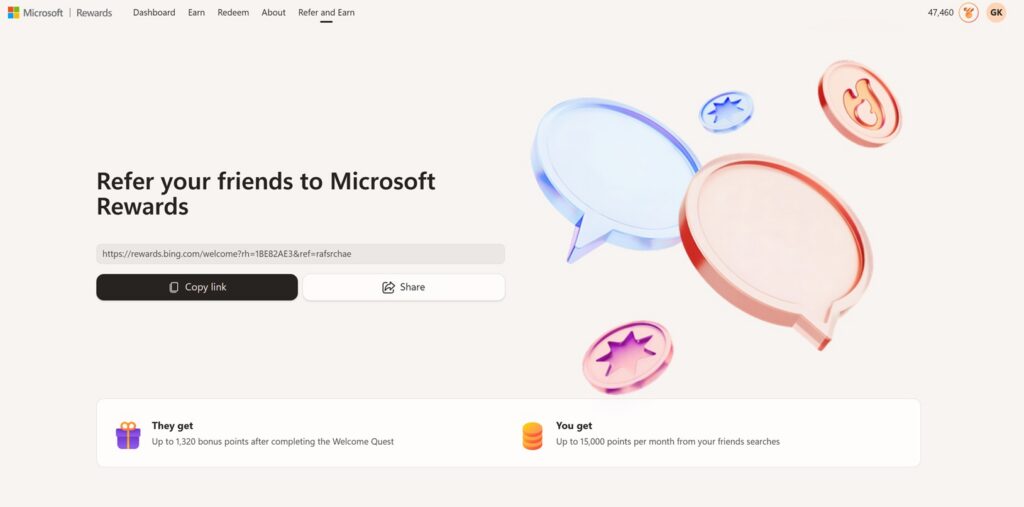
Before assuming something is broken, go to rewards.bing.com/referandearn and look at two sections:
- Friends who’ve joined — confirms the person you referred is actually registered under your link
- Pending points — shows referral points that are in the queue but not yet credited
A lot of “my referral isn’t working” reports turn out to be points sitting in pending status rather than points that vanished entirely. If your friend shows up under “Friends who’ve joined” but nothing appears in “Pending points,” that narrows the problem down to one of the reasons below.
1. The points are still pending verification
Referral points aren’t credited the moment someone signs up. Microsoft holds them in a pending state until it can verify that your friend actually completed qualifying activity — typically a run of daily searches over the first couple of weeks. Users who’ve gone through official support channels have been told this verification window can take longer than expected, sometimes stretching past two weeks. If it’s been under a month, the most likely explanation is simply that the points haven’t finished processing yet.
2. Your friend hasn’t done the qualifying activity
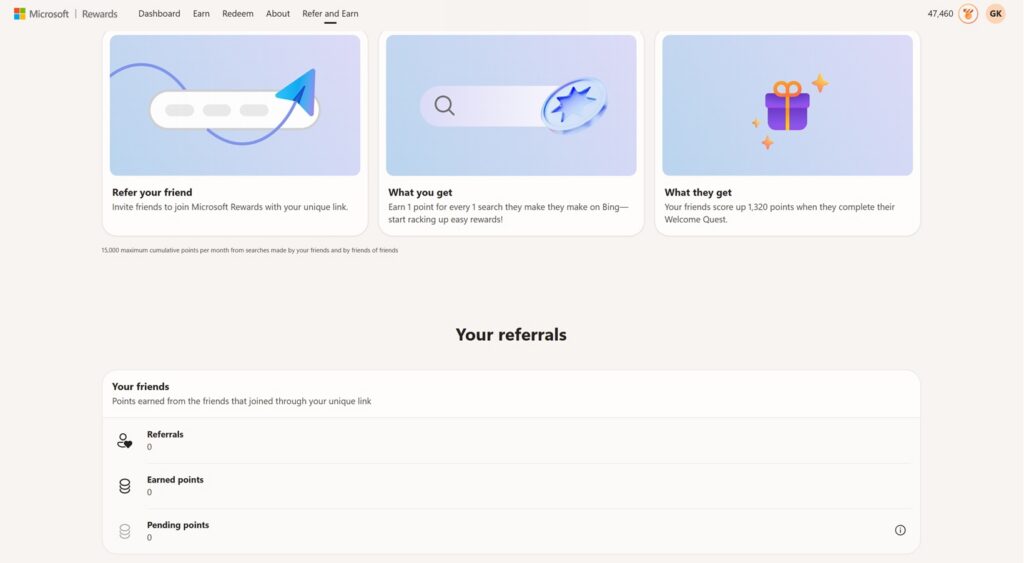
As you can see in my dashboard, I have 0 for referrals because I have not gotten any of my friends to join. If you see something like this and actually referred your friends and family to join, then you should keep reading below to figure out what the issue may be.
Signing up isn’t enough. Most Refer and Earn structures require the referred person to actively use Bing search (and sometimes complete the daily set) for a set number of days before you get credited. If your friend created the account and then didn’t touch it, or only searched once or twice, the referral won’t convert into points no matter how long you wait.
3. Duplicate or linked accounts get flagged
Microsoft Rewards has automated fraud detection that looks for accounts that appear to be connected — same device, same home Wi-Fi network, same browser profile, or a pattern of one person referring themselves under a second email. Even a completely genuine referral (a sibling or roommate signing up on the same shared computer) can get silently flagged and excluded from earning referral credit. There’s no notification when this happens; the points simply never appear.
4. Your own account is under review or restricted
Referral points are paid into your main Rewards balance, so if your account is currently flagged, under investigation, or has a redemption block on it for any reason, incoming points — including referral bonuses — can be held back along with everything else. This is a separate issue from your friend’s activity, and it’s worth checking whether you can currently redeem points at all, since that’s a strong sign your account is the actual bottleneck.
5. You’ve hit a referral cap
Refer and Earn programs typically cap how many people you can be credited for referring within a given period, and sometimes cap the total bonus points available per account per year. If you’ve referred a large batch of people at once, some of them may simply fall outside the cap and won’t generate points regardless of how active they are.
6. The program terms changed after you referred
This one catches people off guard. Refer and Earn has been restructured more than once, and some users have reported referring a friend under one set of terms (a lump bonus for completing “welcome” tasks) only to find the program had shifted to a smaller per-search payout by the time their friend’s activity was reviewed. If your understanding of the reward structure came from an older article, screenshot, or promo email, it’s worth re-checking the current terms on the referral page itself before assuming something is broken.
7. Your friend used the wrong link or a broken redirect
If your friend didn’t sign up through your unique referral link — for example, they searched for Microsoft Rewards and created an account directly, or clicked a link that redirected somewhere slightly different — the system has no way to attribute their activity back to you. This is easy to miss because the account still gets created successfully; it just isn’t tagged as your referral.
8. Your region is excluded from the current promotion
Microsoft periodically runs limited-time Refer and Earn boosts, and like most Rewards promotions, these are sometimes restricted by country. If you or your friend are in a market that’s excluded from the current version of the program, you may see the referral itself register while the bonus points never materialize.
What to actually do about it
If you’ve ruled out the obvious causes above and it’s been more than a few weeks:
- Confirm your friend appears under “Friends who’ve joined,” not just as a general Rewards member
- Wait at least 48 hours between support requests — submitting duplicate tickets can slow down review rather than speed it up
- Use the official support form at rewards.bing.com/support rather than public forums, since community moderators generally can’t access individual account data
- Have your friend confirm they’re doing searches through a signed-in Microsoft account in Edge or the Bing app, not a signed-out browser session
Refer and Earn can be one of the better ways to build up Microsoft Rewards points quickly, but it’s also one of the more fragile parts of the program — small mismatches in timing, device, or account status are enough to break it silently. Checking the pending points page first will save you the most time before you assume it’s a bug worth reporting.