
Everyone loves free stuff, and if you’re already using Bing, Microsoft Edge, or an Xbox, there’s a good chance you’re sitting on points you don’t even know about. Microsoft Rewards is one of the easiest, most legitimate ways to turn everyday browsing into real gift cards — including Amazon.com gift cards. Here’s exactly how it works, what it costs in points, and what to watch out for.
Key Takeaways
- What it is: Microsoft Rewards is a free loyalty program that pays you points for searching, browsing, and shopping through Microsoft products, which you can later redeem for gift cards.
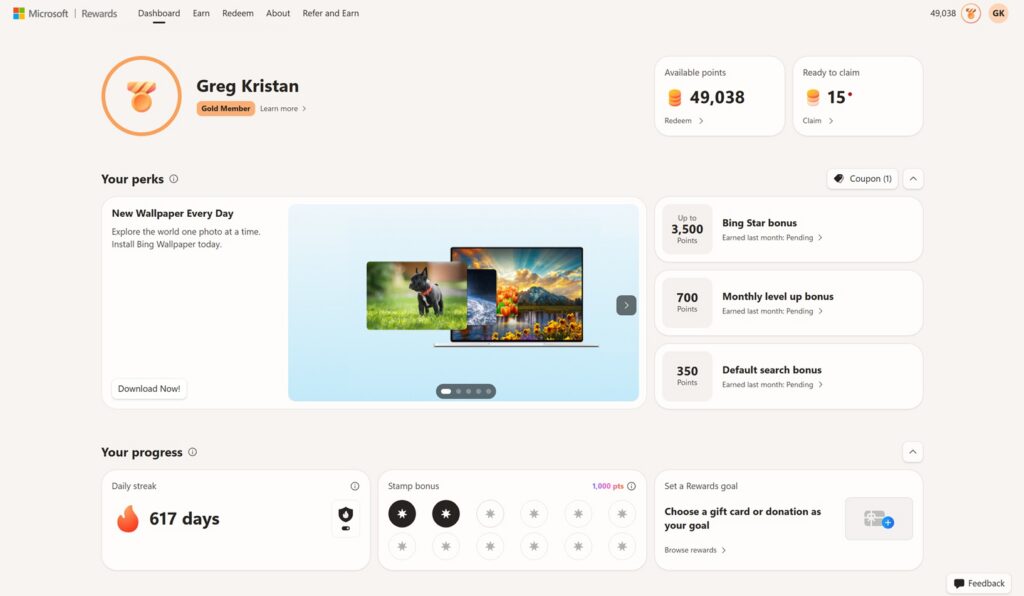
- Earning points: You earn points daily by searching on Bing from both your phone and computer, plus bonus points from quizzes, polls, and the Microsoft Rewards app.
- Gift card tiers: Amazon gift cards are available in $5, $10, and custom amounts up to $100, each redeemable at a fixed rate of roughly 1,050 points per dollar.
- Limited availability: Popular gift cards can sell out or become temporarily unavailable when too many people redeem them at once, so timing matters.
- Account risk: Microsoft can restrict your points or suspend your account entirely if it suspects you’re violating the program’s terms of service, so it pays to earn points the legitimate way.
How to Get Free Amazon Gift Cards with Microsoft Rewards -#microsoftrewards
What Is Microsoft Rewards?
Microsoft Rewards is a free loyalty program run by Microsoft that rewards you with points for using its products and services. Instead of paying you cash, Microsoft gives you points that accumulate in your account and can eventually be redeemed for real rewards — gift cards, sweepstakes entries, donations to charity, and even Xbox or Microsoft Store credit. Amazon.com gift cards are one of the most popular redemption options, since they can be used for almost anything.
Signing up is simple: you just need a free Microsoft account, which you can create with any email address. Once you’re signed in on Bing, Edge, or the Microsoft Rewards app, your points start tracking automatically.
How to Earn Points
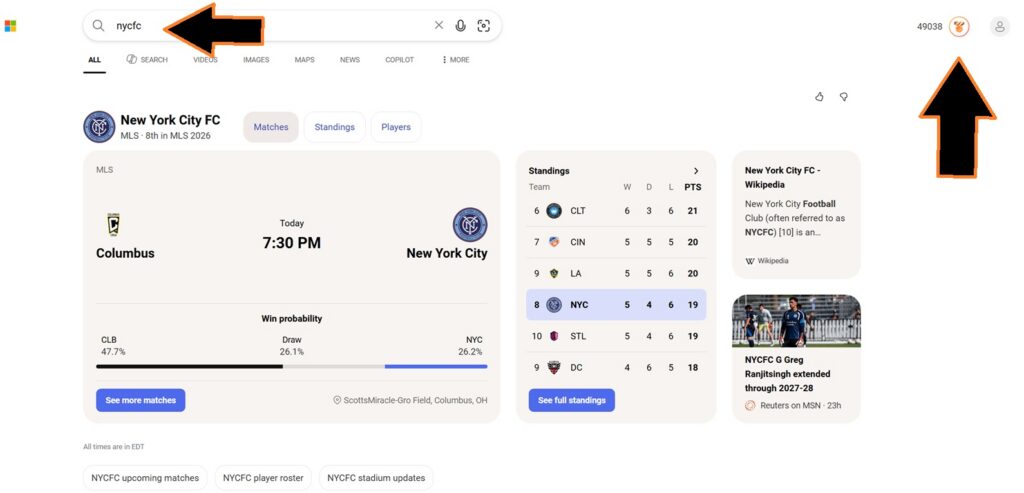
The bulk of most people’s points come from daily searches on Bing. Microsoft Rewards splits your search-based earning potential across two categories:
- Desktop/PC searches: Using Bing as your search engine in a browser on your computer earns you points, up to a daily cap.
- Mobile searches: Searching on Bing through the Microsoft Bing or Edge app on your phone earns a separate set of points, and this often requires you to be signed in and, in some cases, have Microsoft Rewards’ mobile bonus tracking enabled. Here is the link to the Apple Bing App if you want to download
Because desktop and mobile searches are tracked separately, doing a handful of quick searches on your phone in the morning and then continuing your normal desktop searches throughout the day lets you capture points from both.
Beyond search, you can pick up extra points through:
- Daily “Bing homepage” quizzes and trivia
- Punch cards for using Microsoft Edge or the Microsoft Start app
- Occasional bonus offers tied to Microsoft Store purchases or Xbox activity
- Referring friends to join the program
None of these require spending money — they’re all built around things you might already be doing online.
Amazon Gift Card Redemption Tiers
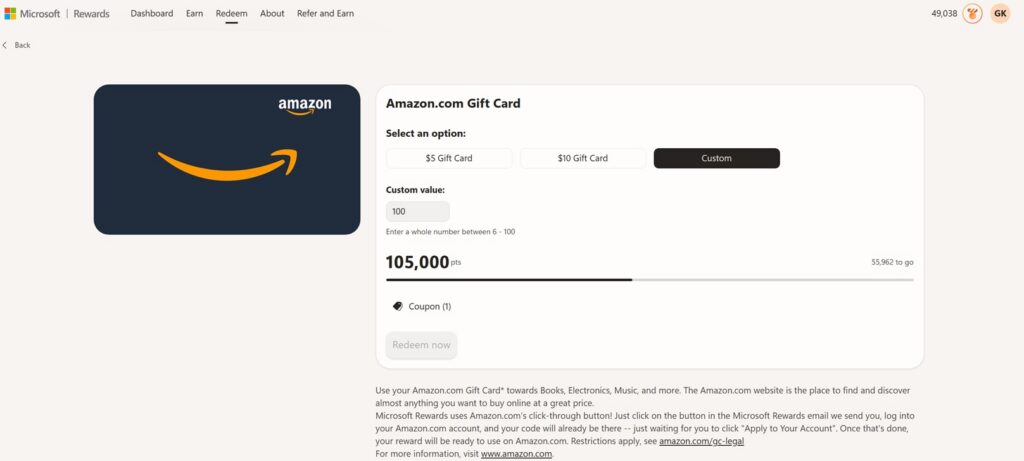
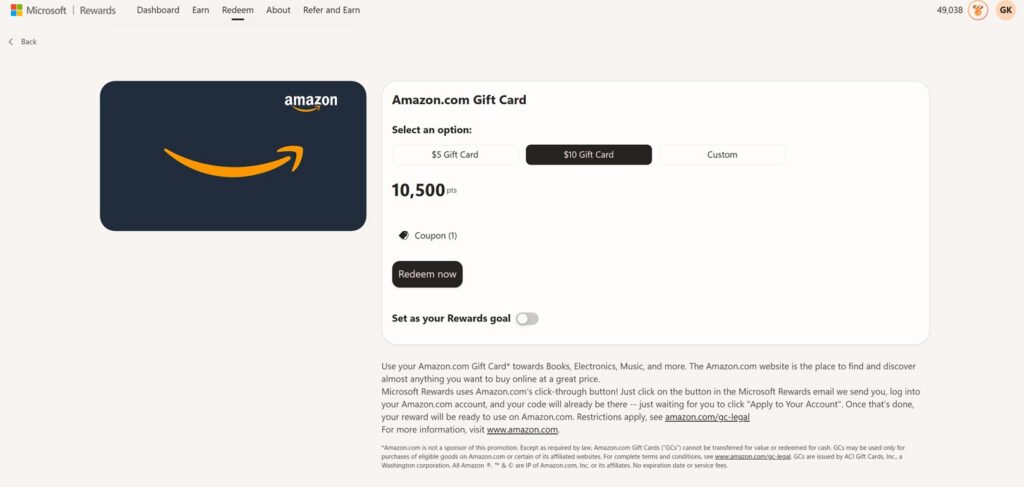
Once you’ve built up a points balance, you can head to the Redeem tab and select the Amazon.com Gift Card option. As a note, these numbers are as of July 2026, so they will most likely change. As of now, there are three ways to redeem:
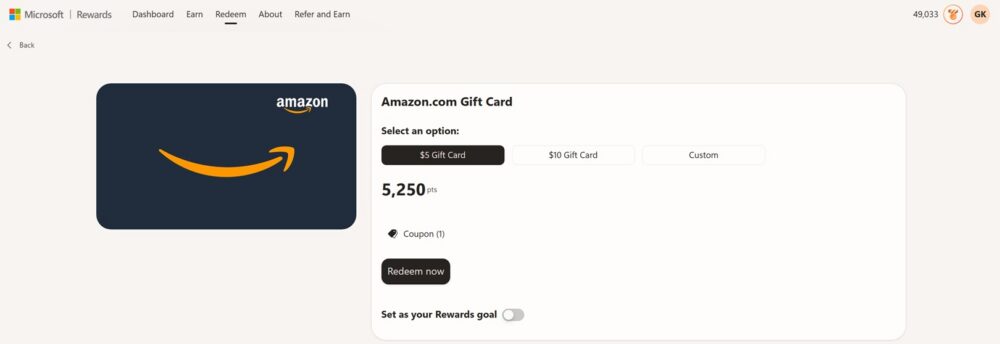
- $5 Gift Card — costs 5,250 points
- $10 Gift Card — costs 10,500 points
- Custom amount — lets you enter any whole number between 6 and 100, so you can redeem exactly the dollar amount you want (for example, a $100 custom gift card costs 105,000 points)
If you do the math, the ratio stays consistent across every tier: about 1,050 points per dollar of gift card value. That means there’s no advantage to redeeming smaller or larger amounts — the cost per dollar is the same whether you cash out $5 at a time or save up for a $100 card. The main decision is just how patient you want to be. Someone earning around 90–150 points per day from searches alone might take anywhere from a few weeks to a couple of months to reach a $5 or $10 card, depending on how many bonus activities they complete.
It’s also worth noting that Microsoft Rewards sometimes lets you apply a coupon to a redemption, which can reduce the point cost for a specific reward — so it’s worth checking the “Coupon” section on the redemption page before you redeem.
Gift Cards Can Sell Out or Become Temporarily Unavailable
One thing that catches new users off guard is that gift card rewards aren’t unlimited. Microsoft sources its gift card inventory from partners, and popular denominations like the $5 and $10 Amazon cards can become temporarily unavailable when demand spikes — especially around holidays or when a lot of users redeem at once. If you log in ready to redeem and see a reward marked as “unavailable” or “out of stock,” it usually isn’t permanent. Checking back in a day or two, or trying a different time of day, often solves the problem. This is a good reason not to wait until you desperately need a gift card before redeeming; if you have enough points, it’s often smart to redeem as soon as you hit a threshold rather than let a large balance sit and hope availability stays consistent.
Your Account Can Be Restricted or Removed for Violating the Terms
Microsoft Rewards is generous, but it isn’t a free-for-all. The program’s terms of service prohibit things like using bots or automated scripts to run searches, creating multiple accounts to farm extra points, or otherwise gaming the system in ways that don’t reflect genuine, organic use. Microsoft actively monitors accounts for unusual patterns — like search volume that’s impossible for a real person to generate — and reserves the right to suspend point earning, void a pending redemption, or close an account entirely if it determines the terms were violated.
The safest approach is to treat Microsoft Rewards exactly as it’s designed: a small bonus for search habits and browser use you’re likely already doing, not a get-rich-quick scheme. Real, manual searches from your own devices, combined with the occasional quiz or punch card, will keep your account in good standing while steadily building toward your next gift card.
Final Thoughts
Microsoft Rewards won’t replace a paycheck, but it’s a legitimate, low-effort way to earn free Amazon gift cards just by searching the way you normally would. Stack your daily desktop and mobile searches, knock out the quick bonus activities, and redeem consistently once you hit a tier — while staying within the rules so your points, and your account, stay intact.