
TL;DR
- Fast food paid for by searching: Bing searches and daily activities earn points you can trade for a Burger King eGift.
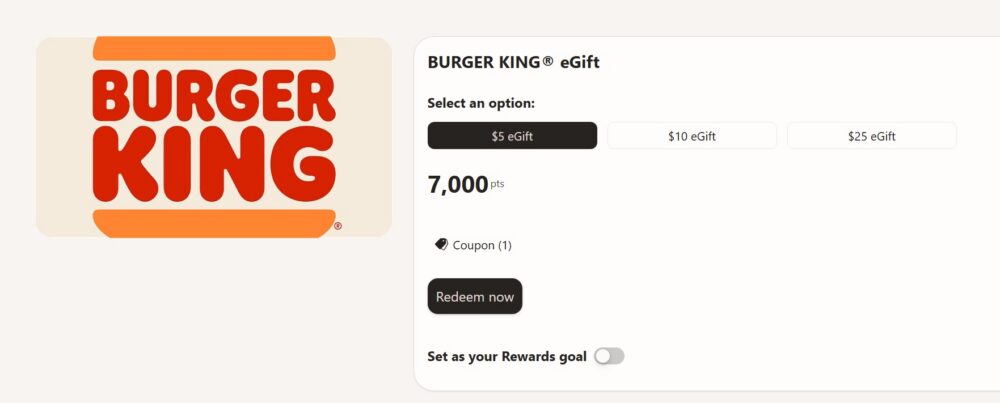
- Current point cost: As of November 2026, the $5 Burger King eGift costs 7,000 points, or 1,400 points per dollar. $10 and $25 options are also listed.
- Same price as Chipotle: Burger King and Chipotle both sit in the 1,400-points-per-dollar tier, so the choice comes down to where you’d rather eat.
- Check your local restaurant: Microsoft’s listing warns that BK eGifts may not be accepted at every Burger King location.
Building Points on Your Computer and Phone
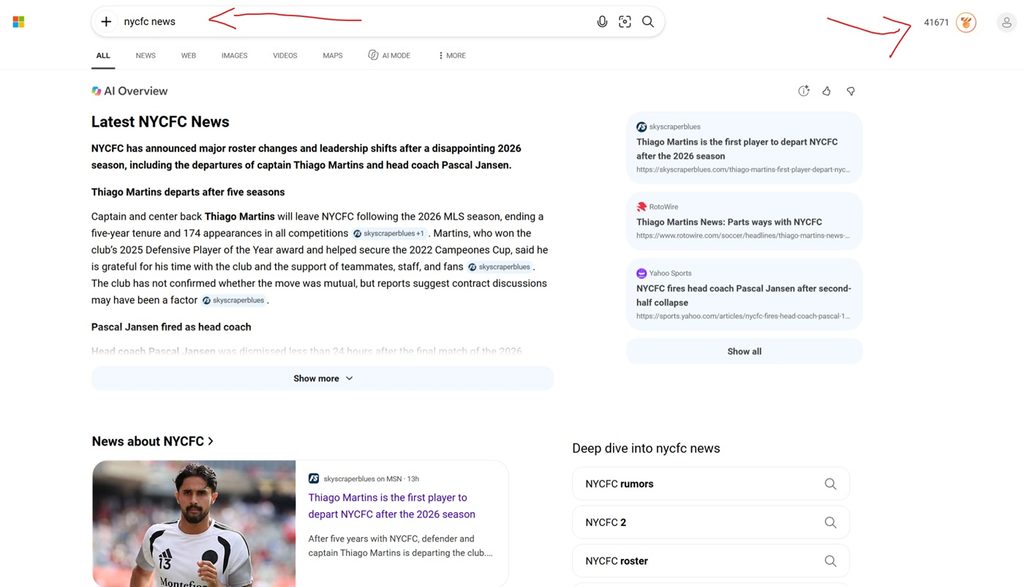
The fastest way to a free Whopper is stacking every daily earning method. Here’s where your points come from:
- Bing searches: Search while signed in to your Microsoft account to earn points up to a daily cap. Desktop and mobile have separate caps, so use both.
- The Bing app: Grab it for iPhone or Android to unlock daily check-ins and about 30 extra points a day for reading MSN articles.
- The Rewards dashboard: Your Microsoft Rewards dashboard has daily quizzes, polls, punch cards and streak bonuses.
- Default search bonus: Setting Bing as your default search engine earns a monthly bonus. See How Does the Default Search Bonus Work for Microsoft Rewards?
- Xbox: Players can earn more through console activity and Game Pass quests.
How long it takes: A typical member earns 150 to 250 points a day. At that pace, a $5 Burger King eGift takes about four to six weeks, and a $25 eGift takes several months.
BURGER KING® eGift Point Costs (November 2026)
The Burger King eGift listing offers $5, $10 and $25 amounts, with the $5 card priced at 7,000 points. As a note, I fully expect these values to change as the months go by. This article was created in November 2026.
| eGift value | Points required | Points per $1 |
|---|---|---|
| $5 | 7,000 | 1,400 |
| $10 | 14,000* | 1,400 |
| $25 | 35,000* | 1,400 |
*Based on the same flat 1,400-points-per-dollar rate Microsoft uses for Chipotle and Walmart. Confirm the exact price on the redeem page while signed in.
Larger cards don’t come with a discount, so there’s no penalty for cashing out at $5. A $5 eGift covers a sandwich or a value meal, which makes it a nice quick win while you save toward something bigger. Prices can change, so always check the redeem page before you plan around a number.
Redeeming and Spending Your Burger King eGift
Redeeming takes about two minutes once you have the points:
- Sign in at rewards.bing.com with your Microsoft account.
- Open Redeem and select the BURGER KING® eGift.
- Choose your amount and click Redeem now.
- Verify your account if asked, usually with a text message code.
- Find your eGift in the confirmation email or under Order history on the Rewards site.
Where to use it: Bring the eGift code to a participating Burger King restaurant. Microsoft’s listing says BK eGifts may not be redeemable at every location and that restaurant participation varies, so ask your local store before you order.
Read the fine print: The listing doesn’t say how long the eGift lasts, so check the terms that come with your code and spend it sooner rather than later.
Burger King vs. Chipotle Gift Card Value
Burger King and Chipotle cost exactly the same in points, so neither one stretches your balance further. I covered Chipotle in detail in How to Get Chipotle Gift Cards Through Microsoft Rewards. Here’s how the two line up:
| BURGER KING® eGift | Chipotle Gift Card | |
|---|---|---|
| $5 cost | 7,000 points | 7,000 points |
| $10 cost | 14,000 points* | 14,000 points |
| $25 cost | 35,000 points* | 35,000 points |
| Points per $1 | 1,400 | 1,400 |
| Where to use it | Participating Burger King restaurants | Chipotle restaurants and app (U.S. only) |
| Expiration | Not stated on the listing | No expiration |
| Loyalty perk | Not stated on the listing | Still earns Chipotle Rewards points |
| Redeem page | Burger King eGift | Chipotle card |
*Assumes the standard 1,400-points-per-dollar rate.
It’s a tie on points. Both cards cost 7,000 points for $5, so the 4–6 weeks of searching gets you the same dollar value either way.
Your dollar may go further at Burger King. Menu prices at Burger King are generally lower than at Chipotle, so $5 can cover a full value meal at BK while it usually covers only part of a burrito bowl.
Chipotle wins on flexibility. Chipotle cards don’t expire, work across its U.S. restaurants and app, and still earn Chipotle Rewards points. Burger King’s listing warns that not every location accepts BK eGifts.
Neither is the best raw value. A $5 Amazon card costs about 5,250 points, so both restaurant cards cost roughly 33% more points per dollar. If you just want maximum value, see How to Get Free Amazon Gift Cards Through Microsoft Rewards.
Which Card Should You Choose?
- Choose Burger King if there’s a participating BK nearby and you want the most food for a $5 card.
- Choose Chipotle if you’d rather have a card that never expires and still earns Chipotle Rewards points.
- Choose Amazon or a Microsoft card if you care more about getting the most dollars per point than about a free meal.
A simple strategy: cash out a $5 Burger King eGift as an early win, then save the rest of your points for a higher-value card.
Final Thoughts
The Burger King eGift is an easy, fun way to spend Microsoft Rewards points at 7,000 points for $5. Search on desktop and mobile, grab the Bing app bonuses, and you’ll have a free meal in about a month. Just confirm your local Burger King accepts eGifts before you redeem.
Key Takeaways
- Cost: 7,000 points for a $5 eGift.
- Chipotle: Same points as Burger King.
- Best value: Amazon and Microsoft cards stretch points further.
- Check first: Not every Burger King accepts BK eGifts.
Similar Posts
- How to Get Chipotle Gift Cards Through Microsoft Rewards
- How to Get Cinnabon eGift Cards Through Microsoft Rewards
- How to Redeem Microsoft Reward Points for a DoorDash Gift Card
- How to Earn Free Walmart eGift Cards Through Microsoft Rewards
- How to Get Free Amazon Gift Cards Through Microsoft Rewards
- 9 Best Microsoft Rewards Strategies to Max Your Earnings
- How Does the Default Search Bonus Work for Microsoft Rewards?