
Key Takeaways
- Dashboard first: Redeeming is simple — go to your Microsoft Rewards dashboard, click Redeem, and choose your gift card.
- Verification step: Microsoft often asks you to verify your phone number with a code before releasing the reward, mainly to prevent spam and multi-account abuse.
- Check spam folder: The redemption code is emailed to you, but if it doesn’t show up, you can also find it directly in your Rewards dashboard.
- Redeeming on DoorDash: For DoorDash specifically, you enter the code as a PIN directly inside your DoorDash account.
- Out of stock happens: DoorDash gift cards occasionally run out of stock — this is normal and typically resolves within a day or two.
- Final approval: Microsoft has final say on all redemptions; anything that looks like it violates their terms can be reviewed or denied, even if you have enough points.
How to Redeem Microsoft Rewards for DoorDash – #microsoftrewards
The Redemption Process, Step by Step
Redeeming Microsoft Rewards points for a gift card is one of the more straightforward things you can do with your points balance, but there are a couple of extra steps in the process that catch people off guard the first time around. Here’s how it actually works, from start to finish.
Step 1: Head to your Rewards dashboard. Sign in to your Microsoft account and go to rewards.bing.com. Your total point balance is displayed at the top of the page.
Step 2: Click Redeem. From the navigation bar, select “Redeem.” This takes you to a catalog of everything you can trade points for — gift cards, sweepstakes entries, charity donations, and other digital rewards.
Step 3: Choose your item. Search for or browse to the gift card you want. For this example, that’s DoorDash. You’ll see the point cost listed clearly (for instance, a $25 DoorDash gift card runs a set number of points, shown right on the redemption page) along with an option to redeem.
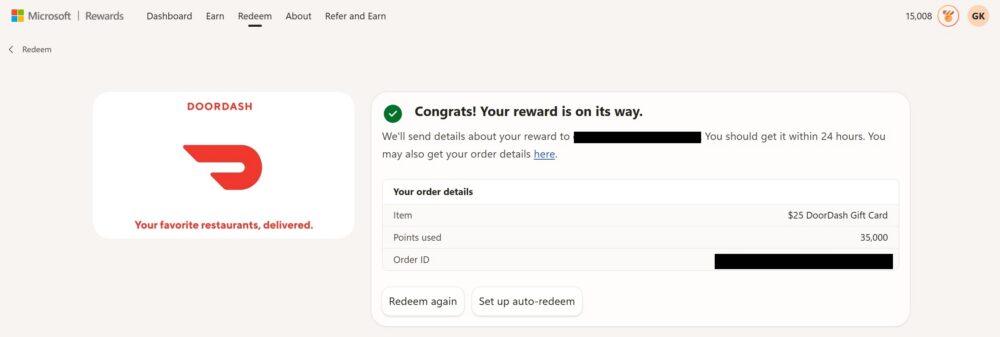
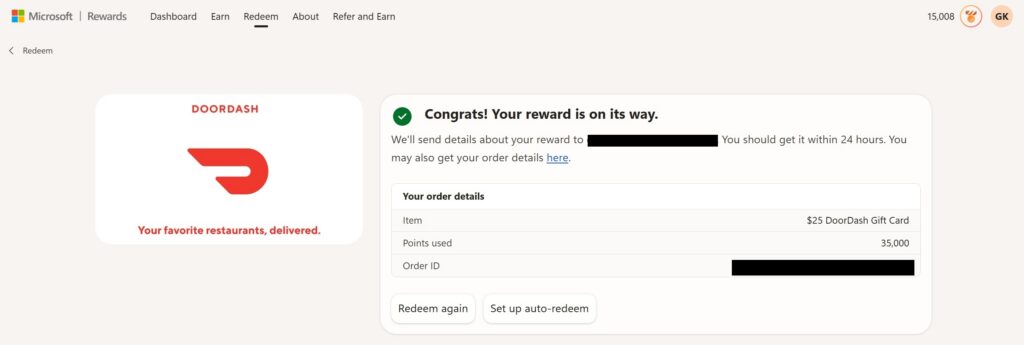
Step 4: Confirm the redemption. Click “Redeem now.” At this point, assuming you have enough points, Microsoft will process the order and show you a confirmation screen with your order details — the item, points used, and an order ID for your records.
That’s the core flow. But there’s an extra layer worth knowing about before you get there.
Why You Might Be Asked to Verify Your Phone Number
Somewhere in this process — often before your first redemption, or if it’s been a while since you last verified — Microsoft may ask you to confirm your phone number. You’ll be prompted to enter your number, and Microsoft sends a one-time verification code via text that you then enter back into the redemption flow.
This isn’t a random hurdle. It exists to help Microsoft cut down on spam accounts and prevent people from farming multiple fake profiles just to rack up free rewards. Phone verification ties your Rewards account to a real, unique identity, which keeps the redemption pool fair for everyone actually earning points the legitimate way. If you’ve been an active member for a while and haven’t had to do this before, don’t be surprised if it pops up unexpectedly — it’s a normal part of keeping the program honest, not a sign anything is wrong with your account.
Getting Your Code (Even If It Lands in Spam)
Once your redemption is approved, Microsoft sends the actual gift card code to the email address associated with your account. In most cases, it arrives within a few minutes to a few hours. Occasionally, though, it can land in your spam or junk folder instead of your primary inbox, especially if your email provider is aggressive about filtering promotional-looking messages.
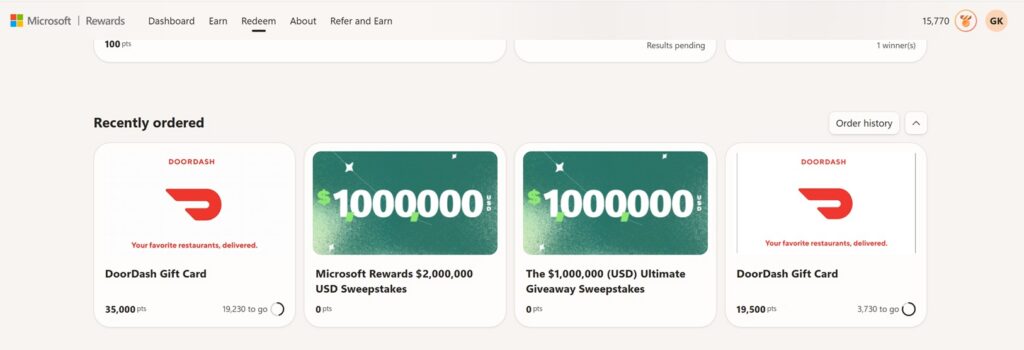
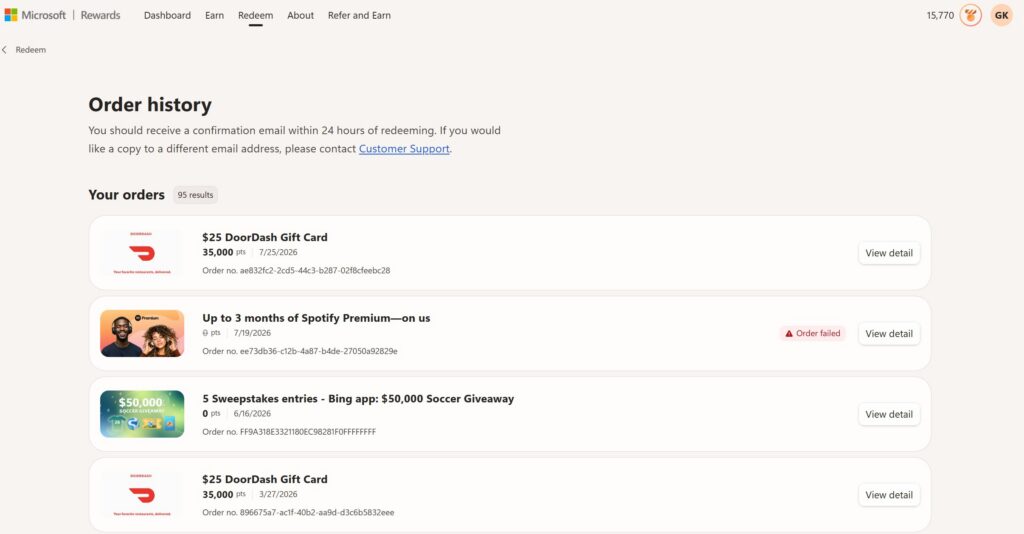
If you don’t see it in your inbox, don’t panic and don’t assume the redemption failed. You can go directly back to your Microsoft Rewards dashboard, and under your order history, the code is generally accessible there too — so even if the email never shows up (or gets buried), you’re not stuck without a way to retrieve it.
Redeeming the Code on DoorDash
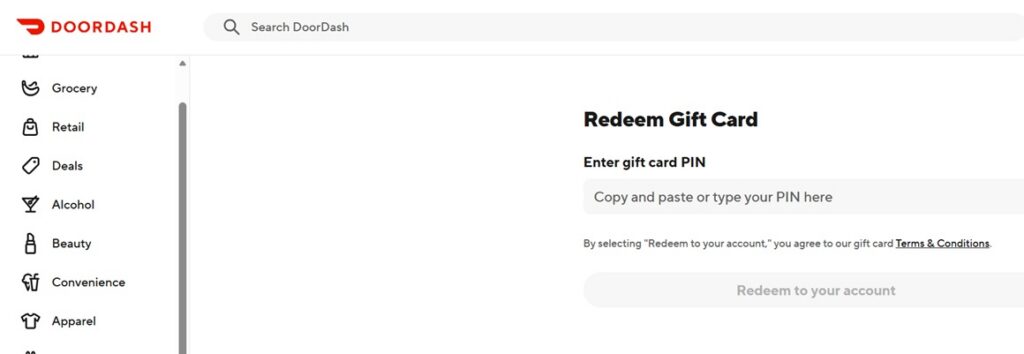
For DoorDash specifically, the redemption code Microsoft gives you works as a gift card PIN. Once you have the code in hand:
- Open the DoorDash app or website and log in to your account.
- Navigate to your account settings or the payment/gift card section.
- Paste (or type) the PIN into the gift card redemption field.
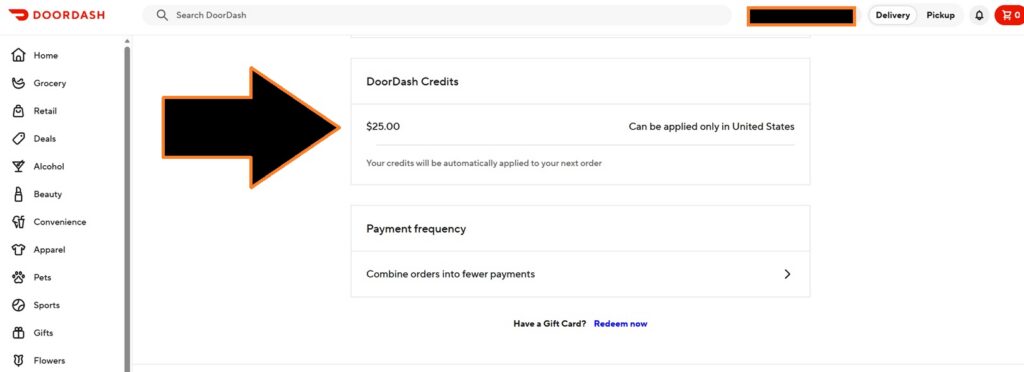
- Confirm, and the balance is added directly to your DoorDash account — ready to use on your next order.
It’s a quick process once the code is in hand, and there’s no need to create a separate DoorDash account or jump through additional hoops — it applies straight to your existing balance.
What to Do If the DoorDash Gift Card Is Out of Stock
Every so often, when you go to redeem, you’ll find that the DoorDash gift card option is temporarily out of stock. This happens periodically across a lot of Microsoft’s popular gift card rewards, not just DoorDash, and it isn’t a sign of a bigger problem. Demand for a given denomination can outpace supply for a short window, especially around popular redemption periods.
Based on typical experience, this tends to resolve within a day or two. If you hit an out-of-stock message, the best move is simply to check back in the next 24–48 hours rather than assuming the reward is gone for good. Your points stay in your account in the meantime, so there’s no rush or risk in waiting it out.
Microsoft Has Final Say — Play It Straight
One important thing to keep in mind: having enough points doesn’t automatically guarantee a redemption will go through. Microsoft retains final say over all reward redemptions, and any activity that appears to violate their terms of service can be flagged for review — even if your point balance is technically sufficient to cover the cost.
This is where it pays to earn points the honest way. Search truthfully, using a single personal account, rather than relying on bots, automation scripts, or multiple fake accounts to inflate your point totals artificially. Beyond being against Microsoft’s terms, patterns like sudden unnatural search spikes or many accounts tied to the same device or IP are exactly the kind of behavior that triggers manual review — which can delay or outright block a redemption you were otherwise counting on.
The program works well and pays out reliably when you use it as intended: real searches, real engagement with the daily sets and quizzes, and one account per person. Stick to that, and redeeming your points for something like a DoorDash gift card is about as smooth as reward programs get.