
TL;DR
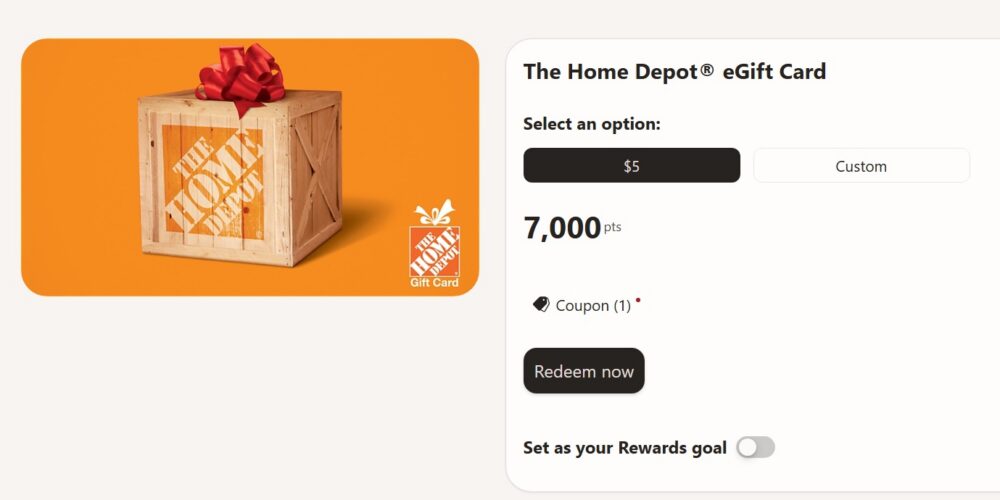
- Free money for home projects: Microsoft Rewards turns Bing searches, Bing app check-ins, and Xbox activity into points you can trade for a Home Depot eGift Card. As of October 2026, a $5 card costs 7,000 points, or 1,400 points per dollar.
- Earn faster in the Bing app: Daily check-ins build toward an extra bonus after 12 check-ins, and reading MSN articles adds about 30 bonus points a day. These small habits are a big part of how I earn close to 5,000 extra points a month.
- Xbox and store shopping help too: Checking in on your Xbox and buying games or add-ons in the Microsoft Store earn points on top of your searches. Silver and Gold members can earn far more per dollar on qualifying purchases.
- Microsoft Store gives more per point: A Microsoft Gift Card costs about 25% to 30% fewer points per dollar than Home Depot. Pick Home Depot only when you need real-world supplies more than games, apps, or devices.
Between paint, light bulbs, garden soil, and the tool you didn’t know you needed, Home Depot runs can get expensive fast. Microsoft Rewards can take some of the sting out. The program offers The Home Depot® eGift Card, and you can earn it entirely with points from searching, using the Bing app, and playing on Xbox. Below, I’ll walk through what the card costs in points as of October 2026, the extra earning tricks I use every month, and how this card stacks up against a Microsoft Store gift card.
What the Home Depot eGift Card Costs (October 2026)
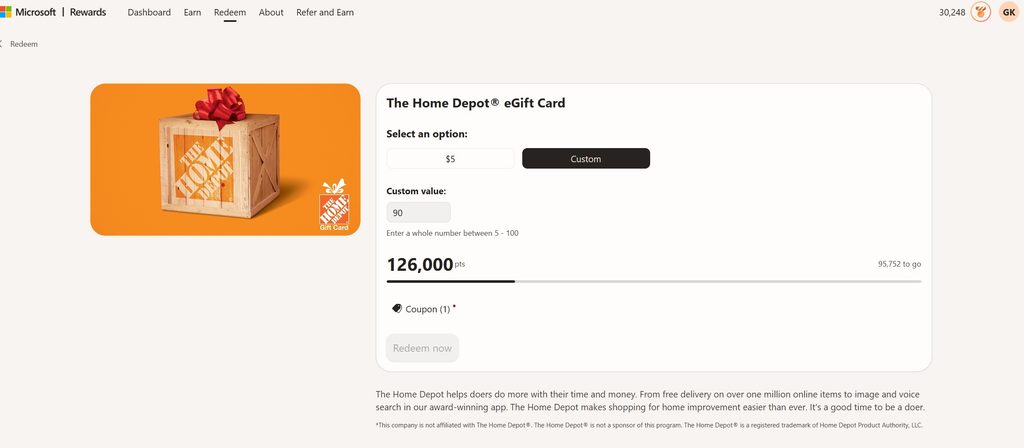
The Home Depot listing on Microsoft Rewards prices its $5 card at 7,000 points. Larger amounts follow the same 1,400-points-per-dollar rate used by most retail partners:
| eGift card | Points needed | Points per $1 |
| $5 | 7,000 | 1,400 |
| $10 | 14,000 | 1,400 |
| $25 | 35,000 | 1,400 |
A $5 card covers small items like a pack of screws, sandpaper, or a couple of light bulbs. A $25 card can go toward a can of paint, a plant for the yard, or a basic tool. Because the rate is the same at every size, there’s no bonus for saving up, so redeem whichever amount fits your next trip. As always, prices and options can change, so confirm on the redeem page while you’re signed in.
Check In Daily on the Bing App for a Bonus
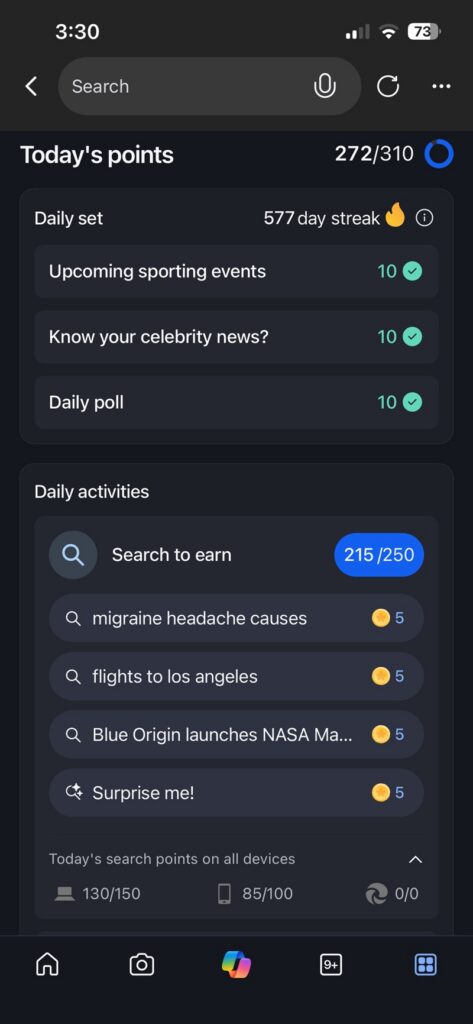
If you only search on your computer, you’re missing some of the easiest points in the program. The Bing mobile app has its own Rewards tab with a daily check-in, and it only takes a few seconds:
Open the app, tap Rewards, and select Check-in. Each check-in adds a few points on its own, but the real payoff comes from consistency. Once you’ve logged 12 check-ins, the app unlocks an additional bonus on top of what you’ve already earned. That turns a five-second habit into one of the better point boosts of the month.
While you’re in the Rewards tab, finish the app’s daily activities too. They refresh every day, and any points you don’t claim before midnight are gone for good. I make it part of my morning routine so I never miss a day.
Earn 30 Extra Points a Day Reading MSN Articles on the Bing App
Another Bing app bonus that many members overlook is reading. As of 2026, you can earn about 30 extra points a day by opening Microsoft’s MSN news and reading articles inside the Bing app. Over a 30-day month, that’s roughly 900 points from content you’d probably scroll through anyway.
The easiest way to find these articles is to search for topics you already follow, like “Xbox news” or your favorite team’s latest scores. Tap into the MSN stories that come up and give each one a moment before moving on. Spacing out your clicks keeps your activity looking natural and helps you avoid unusual-activity warnings.
How I Earn Close to 5,000 Extra Points a Month
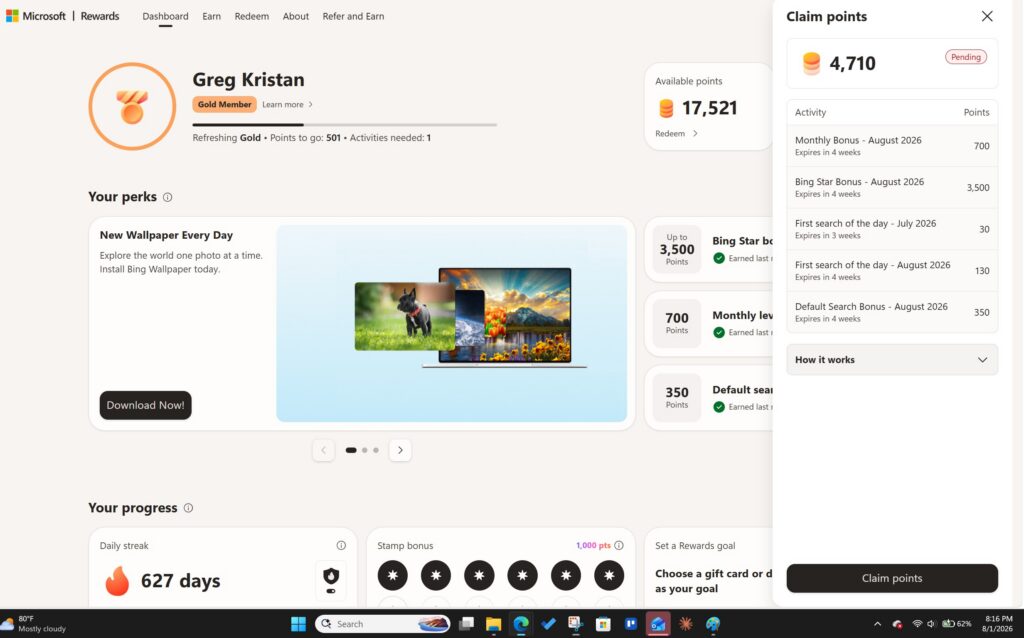
In July 2026, I picked up 4,710 additional Microsoft Rewards points beyond my normal searching. None of it came from tricks or bots. It came from stacking small habits that most members skip:
- Make Bing your default search engine. Keeping Bing as your default through the end of the month pays an extra 350 points, which is about a day and a half of regular searching.
- Read MSN articles in the Bing app. That 30-points-a-day reading bonus adds up to roughly 900 points a month.
- Finish the Bing app daily set every morning. It keeps my streak alive and adds bonus points on top of my searches.
- Open the Xbox app or console now and then. Even 10 to 15 minutes of a simple game like Solitaire can trigger extra points.
- Use Microsoft Cashback when shopping online. Buying through Edge earned me cashback on a purchase I was already making.
- Search naturally. I use Edge, skip VPNs, and spread my searches through the day instead of firing them off all at once.
Together, these habits add close to 5,000 points a month. That’s enough for a $5 Home Depot card every six weeks or so from the extras alone, before counting regular searches.
Boost Your Balance With Xbox and Microsoft Store Purchases

You don’t have to be a hardcore gamer to earn points on Xbox. Visit the Rewards hub on your Xbox console, the Xbox mobile app, or the Xbox app on Windows to find check-ins and activities. Playing on your console several days a week can also unlock a weekly console bonus, so regular check-ins pay off over time.
Shopping counts too. According to Microsoft’s Rewards page, qualifying games and add-ons from the Microsoft Store earn up to 4 points per dollar for every member. Silver and Gold members with an active Game Pass subscription can earn up to 40 points per dollar on qualifying content. Select hardware purchases from the Microsoft Store earn 1 point per dollar for Members and 10 points per dollar for Silver and Gold.
Purchase points are capped at 20,000 per month, and subscriptions and gift card purchases don’t qualify. Still, if you already buy games or accessories, routing those purchases through the Microsoft Store can speed up your next Home Depot card.
Home Depot vs. Microsoft Store: Which Gives You More?
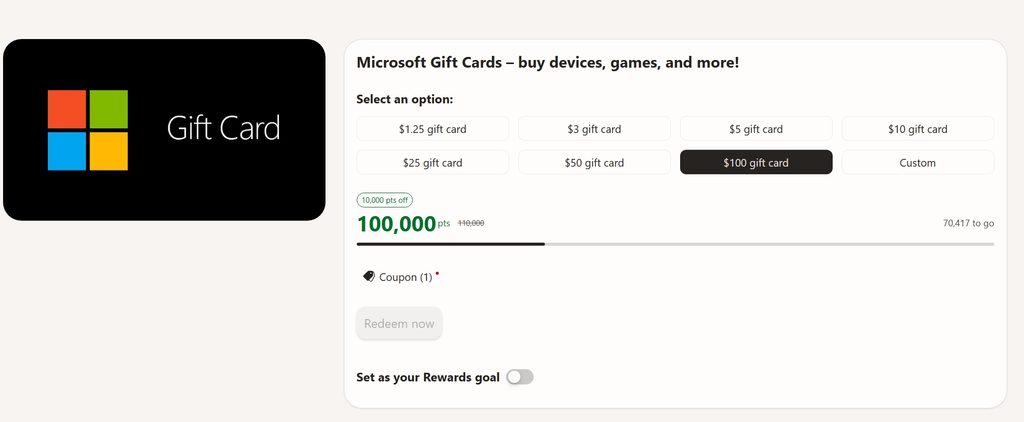
If you’re deciding between a Home Depot card and a Microsoft Gift Card, it comes down to two questions: how far do your points go, and how far does your money go?
| Home Depot eGift Card | Microsoft Gift Card | |
| Points for $25 (approx.) | 35,000 | 25,000 to 26,250 |
| Points per $1 | 1,400 | about 1,000 to 1,050 |
| Earn points back when you spend it | No | Yes, on qualifying games, add-ons, and hardware |
| Where you can spend it | Home Depot stores and HomeDepot.com | Microsoft Store and Xbox only |
| Time limit | No expiration | Must be spent within 90 days |
For your points, the Microsoft Store wins. You’ll spend about 25% to 30% fewer points for the same dollar value. On a $25 card, that’s roughly 9,000 to 10,000 points saved, or close to two months of my extra earning habits.
For your dollar, the Microsoft Store also comes out ahead. Money spent on qualifying Microsoft Store content earns new points back, while Home Depot purchases earn nothing in Microsoft Rewards.
But usefulness matters more than math. A cheaper gift card is only a good deal if you’ll use it. If you need a new drill bit or a bag of mulch, a Home Depot card saves you real money on something you were going to buy anyway. It also never expires, so you can save it for a big weekend project. Choose the Microsoft card if you already buy games, apps, or devices. Choose Home Depot when your shopping list is about the house, not the console.
How to Redeem and Use Your Home Depot Card
When your balance is ready, redeeming takes about a minute:
- Sign in at rewards.bing.com with the account holding your points.
- Go to Redeem and open The Home Depot® eGift Card.
- Choose your amount and click Redeem now.
- Verify your account if prompted, usually with a code sent to your phone.
- Find your eGift card in your confirmation email or in Order history.
You can then use it at checkout on HomeDepot.com, in the Home Depot app, or at the register in a U.S. store. Save the code somewhere easy to find, since you may want to split it across a few trips.
Final Thoughts
A Home Depot eGift Card is a practical way to turn everyday Bing searches into supplies for your home. At 7,000 points for $5, it’s not the cheapest reward in the catalog, but a few extra habits close the gap quickly. Check in daily on the Bing app, read MSN articles for bonus points, stay active on Xbox, and keep Bing as your default. Those extras alone can add close to 5,000 points a month. If you mostly buy games and apps, grab a Microsoft Gift Card instead. If your weekends involve paint rollers and potting soil, Home Depot is the card to save for.
Key Takeaways
- Cost: 7,000 points for $5.
- Bing app: Check-ins and MSN reading.
- Xbox: Check-ins and store purchases.
- Best value: Microsoft Store per point.
Similar Posts:
- I Earned 4,710 Additional Microsoft Reward Points to Start August 2026
- How to Earn a Target eGiftCard Through Microsoft Rewards
- How to Get Free Amazon Gift Cards Through Microsoft Rewards
- How Does the Default Search Bonus Work for Microsoft Rewards?
- What Is Microsoft Cashback? A Complete Guide to Earning Money Back on Your Shopping
- How to Earn Xbox Gift Cards Through Microsoft Rewards
- What Is the Weekly PC Bonus in Microsoft Rewards?