Microsoft Rewards is one of the easiest ways to earn gift cards, Xbox Game Pass, sweepstakes entries, and other perks simply by searching with Microsoft Bing, shopping in the Microsoft Store, or completing daily activities. However, users each year find their Microsoft Rewards account suspended—often without realizing they violated the program’s rules.
Many suspensions are avoidable. Understanding how Microsoft Rewards works and avoiding a few common mistakes can help you keep earning points safely while protecting your account.
Here’s what you should know.
Multiple Accounts to Earn Additional Points
One of the fastest ways to receive a Microsoft Rewards suspension is creating multiple accounts to maximize daily points.
Some users think they can create additional Microsoft accounts for themselves or family members and combine the rewards. Microsoft’s program rules prohibit creating accounts solely to earn extra rewards.
Examples include:
- Creating several Microsoft accounts for yourself
- Alternating between accounts every day
- Redeeming rewards from multiple personal accounts
- Sharing accounts with others
Bot Bing Searches
With the rise of ChatGPT and other platforms, people can utilize these tools to automate their Microsoft Bing searches, which tend to work for awhile. However, once Microsoft catches on, you can expect a suspension or cool down.
Avoid:
- Auto-search browser extensions
- Search bots
- Keyboard macros
- PowerShell scripts
- Selenium automation
- Scheduled search software’
Unnatural Searching too Fast / Fake Search Activity
I’ve been personally hit with a cooldown penalty in 2026 in Microsoft Rewards. I triggered it due to quickly getting my mobile searches + reading searches down quickly each morning, which was unnatural since it didn’t look like actual searches. Since I’ve had Microsoft Rewards for over 10 years, I was able to get this brought back to the normal level once I spaced out my searches / my track record. Below are some common examples of searching too fast.
- Completing all 50–100+ daily searches in one or two minutes. Clicking the search box and rapidly pressing Enter after making tiny edits to each query. Searching every letter of the alphabet (A, B, C, D…) one after another. Searching sequential numbers like “1”, “2”, “3”, “4”, etc. Adding a single character to each search, such as:
- pizza
- pizza a
- pizza aa
- pizza aaa
- Completing desktop and mobile search quotas almost instantly every day at the exact same time.
- Cycling through random words from a list as quickly as possible just to increase the search count.
- Rapidly opening dozens of Bing tabs and firing off searches within seconds.
Redeeming Rewards Too Aggressively
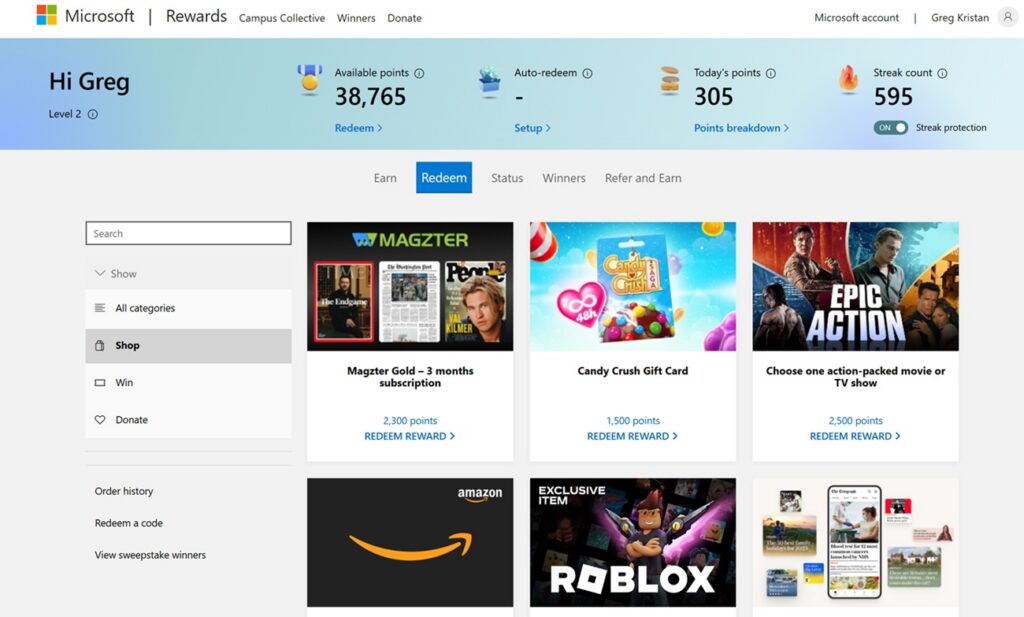
Another mistake is redeeming large numbers of gift cards immediately after earning points.
Although legitimate users can absolutely redeem rewards, unusual redemption patterns may trigger additional verification.
Examples include:
- Redeeming multiple high-value gift cards back-to-back
- Creating a new account and immediately redeeming
- Redeeming from unusual locations
- Frequently changing payment information
Occasional redemptions are perfectly normal, but consistent suspicious redemption behavior can result in account reviews.
Buying or Selling Microsoft Rewards Accounts
Some websites advertise Microsoft Rewards accounts with large point balances.
Buying, selling, trading, or transferring accounts violates Microsoft’s terms and puts both the buyer and seller at risk.
These accounts may:
- Already be flagged
- Be permanently suspended
- Be reclaimed by the original owner
- Lose all accumulated points
Always earn rewards using your own Microsoft account.
Sharing Accounts with Friends
It may seem harmless to let friends or coworkers complete searches for you.
However, if Microsoft detects the same account being used from multiple devices, networks, or locations in unusual ways, it may investigate for suspicious activity.
Each Rewards account should represent one person’s normal usage.
Using Emulators or Virtual Machines
Some advanced users run Microsoft Rewards inside:
- Virtual machines
- Android emulators
- Cloud browsers
- Automated testing environments
While virtualization itself isn’t automatically prohibited, combining virtual machines with automated behavior often raises red flags.
Whenever possible, use your regular desktop, laptop, or mobile device.
Ignoring Microsoft’s Program Rules
Many suspensions happen simply because users never read Microsoft’s Rewards policies.
Program rules can change over time, and staying informed helps you avoid accidental violations.
Common Reasons Microsoft Rewards Accounts Get Suspended
While Microsoft doesn’t publicly disclose every factor used to detect abuse, the most common reasons include:
- Automated search activity
- Multiple personal Rewards accounts
- Fraudulent redemptions
- Fake or meaningless searches
- VPN or proxy abuse
- Suspicious location changes
- Abuse of promotional offers
- Buying or selling Rewards accounts
- Using bots or scripts
- Violating Microsoft Rewards program terms
Not every suspension includes a detailed explanation, which is why following the rules consistently is the safest approach.
How to Keep Your Microsoft Rewards Account Safe
If you want to continue earning points without worrying about suspension, follow these best practices:
- Use only one personal Microsoft Rewards account.
- Complete Bing searches naturally throughout the day.
- Avoid automation tools, scripts, and macros.
- Don’t use VPNs solely to earn Rewards.
- Redeem rewards using your own account.
- Enable two-factor authentication to help secure your Microsoft account.
- Keep your account information accurate and up to date.
- Review Microsoft’s program rules when new features or promotions are introduced.
These habits help demonstrate legitimate participation in the Rewards program.
What to Do if Your Microsoft Rewards Account Is Suspended
If your account is suspended, don’t immediately create a new Microsoft account. Doing so could make the situation worse if it also violates the program rules.
Instead:
- Check your Microsoft account for any notifications or emails explaining the suspension.
- Think about whether any recent activity—such as using a VPN, automation tools, or multiple accounts—might have triggered a review.
- Contact Microsoft Rewards Support through the official support channels and politely request a review of your account.
- If your suspension is reversed, continue using the program naturally and avoid any practices that could appear suspicious in the future.
Keep in mind that Microsoft may not restore every suspended account, especially if it determines that the program terms were intentionally violated.
Final Thoughts
Microsoft Rewards remains one of the best free rewards programs available, offering an easy way to earn gift cards, Xbox rewards, charitable donations, and more through everyday activities. The overwhelming majority of users never experience problems because they participate naturally and follow the rules.
The easiest way to protect your account is to treat Microsoft Rewards as it was intended: use one account, perform genuine searches, avoid automation, and steer clear of shortcuts that promise faster point accumulation. A little patience goes a long way—and it’s far better than risking the loss of your hard-earned points through an avoidable suspension.