
TL;DR
- The strongest value in the catalog: Microsoft Gift Cards convert points to dollars at roughly 1,000 to 1,050 points per $1, while most restaurant and retail cards cost 1,400 points per $1. Your points simply go further when they stay inside Microsoft’s own store.
- Why Microsoft prices it this way: Microsoft would rather you spend your points on its own games, apps, and hardware than hand that value to another company. A cheaper exchange rate is how it keeps your points in its ecosystem.
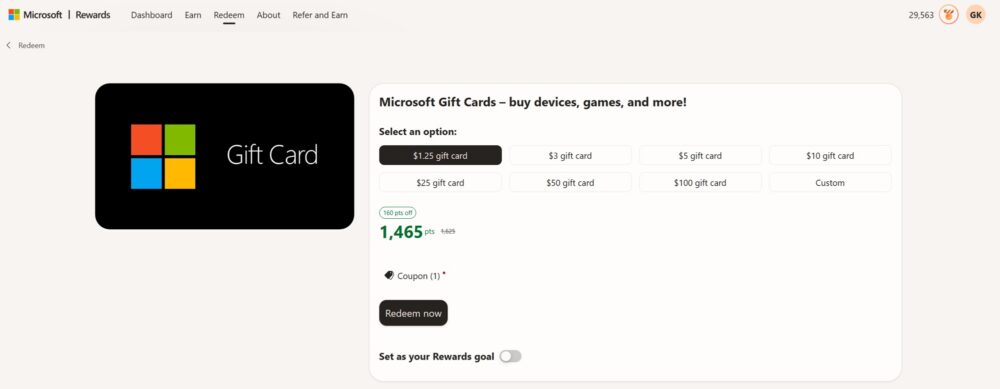
- Flexible amounts: As of October 2026, the card comes in $1.25, $3, $5, $10, $25, $50, $100, and custom amounts. Larger cards land near 1,000 points per dollar, while the tiny $1.25 card costs 1,625 points.
- The catch: The balance only works in the Microsoft Store and on Xbox, and it must be spent within 90 days. It’s the best deal only if you’ll actually buy games, apps, add-ons, movies, or devices.
Most people who join Microsoft Rewards eventually ask the same question: which reward gives me the most for my points? Scroll through the redeem page and you’ll see dozens of options, from restaurant eGift cards to sweepstakes entries. But one listing consistently stretches your balance further than almost anything else: the Microsoft Gift Card.
In this guide, we’ll cover how to earn the points, what each card amount costs as of October 2026, why Microsoft prices its own card so favorably, and the one big tradeoff you should weigh before redeeming.
Earning Points: Start With Bing on Every Device
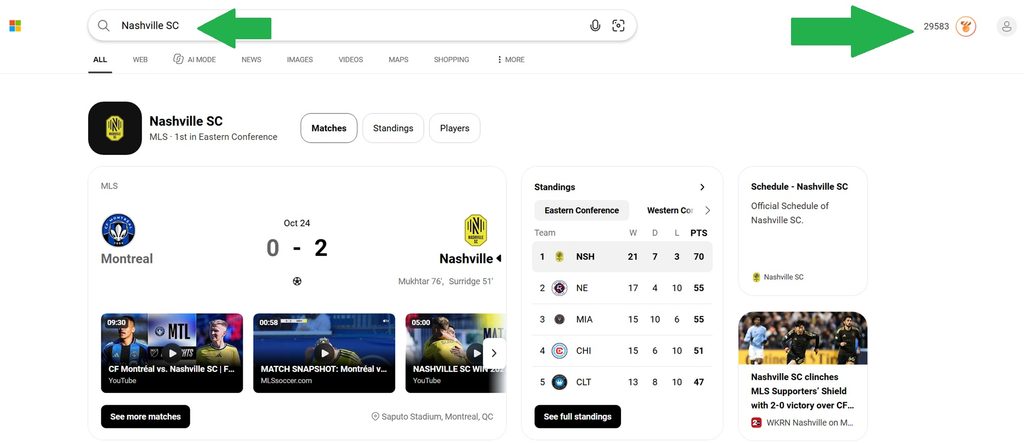
Everything in Microsoft Rewards starts with points, and the most reliable way to earn them is searching with Bing while signed into your Microsoft account. Desktop searches and mobile searches each have their own daily cap, which means you leave points on the table if you only search from one device.
That’s why the mobile app matters so much. Downloading Bing on your phone lets you earn your mobile search points anywhere, plus the app often surfaces its own bonus activities and daily check-ins:
Once you’re signed in on both your computer and your phone, layer on the extras. The Rewards dashboard offers a daily set of quizzes and polls, punch cards, streak bonuses for consecutive days of activity, and occasional offers tied to Edge, Outlook, and Xbox. Members who play on Xbox can earn even more through Game Pass quests and console activities.
An active user who searches on both devices and finishes the daily set can usually collect 150 to 250 points a day. At that rate, a $5 Microsoft Gift Card is roughly three to five weeks away, and a $25 card is a realistic goal within a few months.
What Microsoft Gift Cards Cost in Points (October 2026)
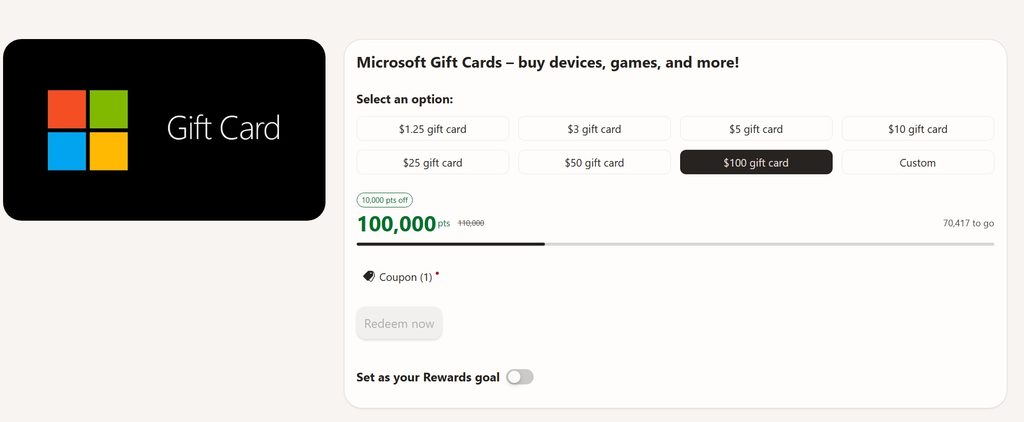
The Microsoft Gift Card listing offers more sizes than almost any other reward: $1.25, $3, $5, $10, $25, $50, $100, and a custom amount. The smallest card is the default and costs 1,625 points. Larger cards settle near the program’s best exchange rate.
| Card value | Standard price (approx.) | With level discount (approx.) |
| $1.25 | 1,625 points | 1,625 points |
| $5 | 5,250 points | 5,000 points |
| $10 | 10,500 points | 10,000 points |
| $25 | 26,250 points | 25,000 points |
| $50 | 52,500 points | 50,000 points |
| $100 | 105,000 points | 100,000 points |
Two things stand out. First, the $1.25 card works out to 1,300 points per dollar, so it’s handy for topping off a purchase but not the most efficient choice. Second, from $5 upward you’re paying about 1,000 to 1,050 points per dollar, depending on your Rewards level and any active promotions.
Microsoft also runs flat discounts on its own cards from time to time, such as 200 points off select Xbox and Microsoft cards. Prices can shift by account, region, and month, so always check the redeem page while signed in before you commit.
Why This Is the Best Value in Microsoft Rewards
It helps to think about Microsoft Rewards from Microsoft’s side of the table. Every point you earn is a small marketing cost meant to keep you searching on Bing, browsing in Edge, and playing on Xbox. When you redeem those points for a Chipotle or Best Buy card, Microsoft has to buy that card from another company with real money. The value walks out the door.
A Microsoft Gift Card works differently. The balance lands in your Microsoft account and can only be spent in Microsoft’s own stores. That means the money never really leaves Microsoft. It comes back as a game purchase, an app subscription, an Xbox add-on, or a new controller, and Microsoft often keeps a healthy margin on those sales.
Because of that, Microsoft has every reason to make its own card the most attractive option. A better exchange rate nudges members toward keeping their points inside the ecosystem, which is good for Microsoft and good for you if you were already planning to shop there. It’s the same logic airlines use when they make award flights cheaper than partner gift cards.
The Microsoft card has a few other built-in advantages too. It’s almost always in stock, it comes in more denominations than any partner card, and it’s the card most likely to get a flat-point discount during promotions.
How It Compares to Other Gift Cards
Here’s how the Microsoft Gift Card stacks up against other popular redemptions, based on typical October 2026 pricing for a $5 card:
| Reward | Points for $5 (approx.) | Points per $1 |
| Microsoft Gift Card (with level discount) | 5,000 | about 1,000 |
| Microsoft Gift Card (standard) | 5,250 | about 1,050 |
| Amazon.com Gift Card (when in stock) | 5,250 | about 1,050 |
| Chipotle, Cinnabon, Panera, Best Buy | 7,000 | 1,400 |
Amazon can match the standard Microsoft rate, but it frequently sells out and rarely gets the same discounts. Restaurant and retail cards cost about 33% to 40% more points for the same dollar value. Put simply, if you redeem $25 worth of Microsoft balance instead of a $25 restaurant card, you save roughly 9,000 to 10,000 points. That’s close to two months of daily searching for a typical user.
The Tradeoff: You Have to Want Microsoft Products
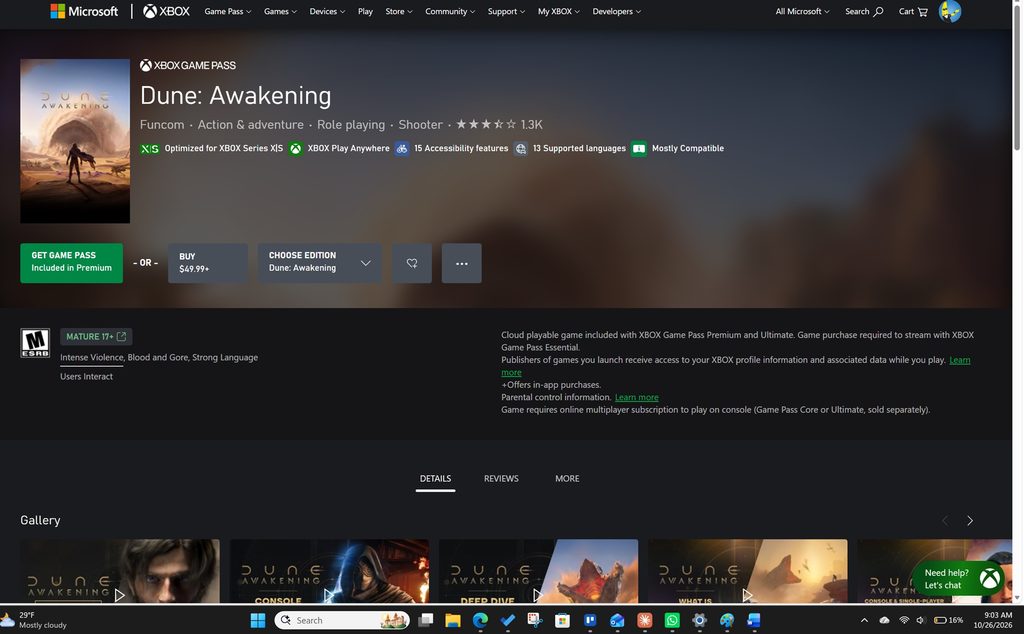
The best exchange rate in the world doesn’t help if you never use the balance. A Microsoft Gift Card can be spent on things like:
- Games for Xbox and Windows PCs, including new releases and digital deals
- Add-ons and in-game currency, such as DLC, season passes, and V-Bucks or Minecoins sold through the Microsoft Store
- Apps and software in the Microsoft Store on Windows
- Movies and TV shows to buy or rent
- Devices and accessories sold online by Microsoft, such as Xbox controllers and headsets
If you’re an Xbox player or a regular Windows user, that list probably covers stuff you’d buy anyway, which makes this card a no-brainer. If you rarely game and don’t need Microsoft software, a 1,400-point restaurant card you’ll actually use is a better deal than a cheaper card that sits idle.
There are a few fine-print details to keep in mind as well. The card is a promotional balance that must be used within 90 days of being added to your account. It can’t be cashed out, it doesn’t work at physical stores, and some content requires a separate subscription. Plan your redemption around a specific purchase so the balance doesn’t expire unused.
How to Redeem a Microsoft Gift Card
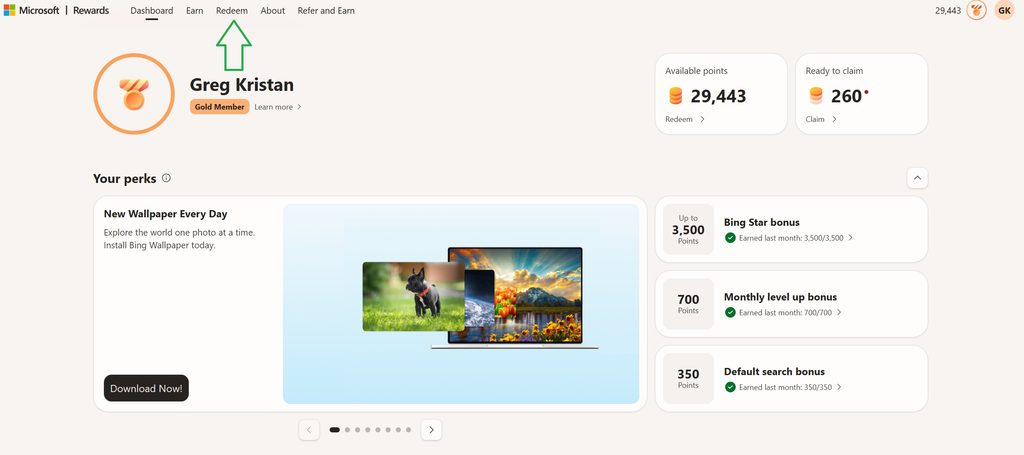
Once you’ve got enough points and a purchase in mind, the process takes about a minute:
- Sign in at rewards.bing.com with your Microsoft account.
- Open the Redeem tab and select the Microsoft Gift Card.
- Choose your amount, or enter a custom value.
- Click Redeem now and confirm. You may be asked to verify your phone number the first time.
- The balance is added to your Microsoft account automatically, ready to use in the Microsoft Store or on Xbox.
A smart habit is to redeem right before checkout. That way the 90-day window starts when you’re actually ready to spend, and you can pick an amount that covers the exact purchase.
Final Thoughts
If you want the most value per point in Microsoft Rewards, the Microsoft Gift Card is hard to beat. Microsoft prices it generously because the money stays in its own ecosystem, and that works in your favor whenever you’d already be buying games, apps, add-ons, or devices from Microsoft. Download the Bing app on your phone, search daily on every device, and redeem with a specific purchase in mind. Your points will stretch further here than almost anywhere else in the catalog.
Key Takeaways
- Best rate: About 1,000 points per dollar.
- Why: Microsoft keeps points in-house.
- Tradeoff: Microsoft Store and Xbox only.
- Deadline: Spend within 90 days.
Similar Posts:
- How to Earn Xbox Gift Cards Through Microsoft Rewards
- How to Get Minecraft Digital Codes from Microsoft Rewards
- How to Get Free Amazon Gift Cards Through Microsoft Rewards
- How to Get a Roblox Digital Card Through Microsoft Rewards
- Is the Xbox Mastercard Worth It for Microsoft Rewards?
- How Does the Default Search Bonus Work for Microsoft Rewards?
- Microsoft Rewards Auto Redeem Not Working: Why It Happens and How to Fix It
- How To Get Cinnabon Gift Cards
- How to Get Chipotle Gift Cards